Add The New York Post on Google A good, comfortable office chair can be game-changing when it comes to getting through your daily 9-to-5.
An ergonomic office chair, one that’s “designed to support the body in a natural, neutral position,” per Dr. Robert F. Mancuso, an Interventional Spine and Pain Management Specialist based in New York City, is ideal.
While many chairs are advertised as ergonomic, not all are, so there are a few things to consider when selecting one.
“A good chair should allow you to adjust the seat height and depth, back support and armrests so the chair fits your body,” says Dr. Dustin DebRoy, D.C., The Joint Chiropractic’s manager of education and relations. “Your feet should be supported, your back should be supported by the backrest, and you should be able to sit close enough to your desk without reaching forward for your keyboard or mouse.”
Below, we rounded up the best ergonomic office chairs you can add to your home office or physical office location, at various price tags so you can easily find one that best matches your budget, style and comfort needs.
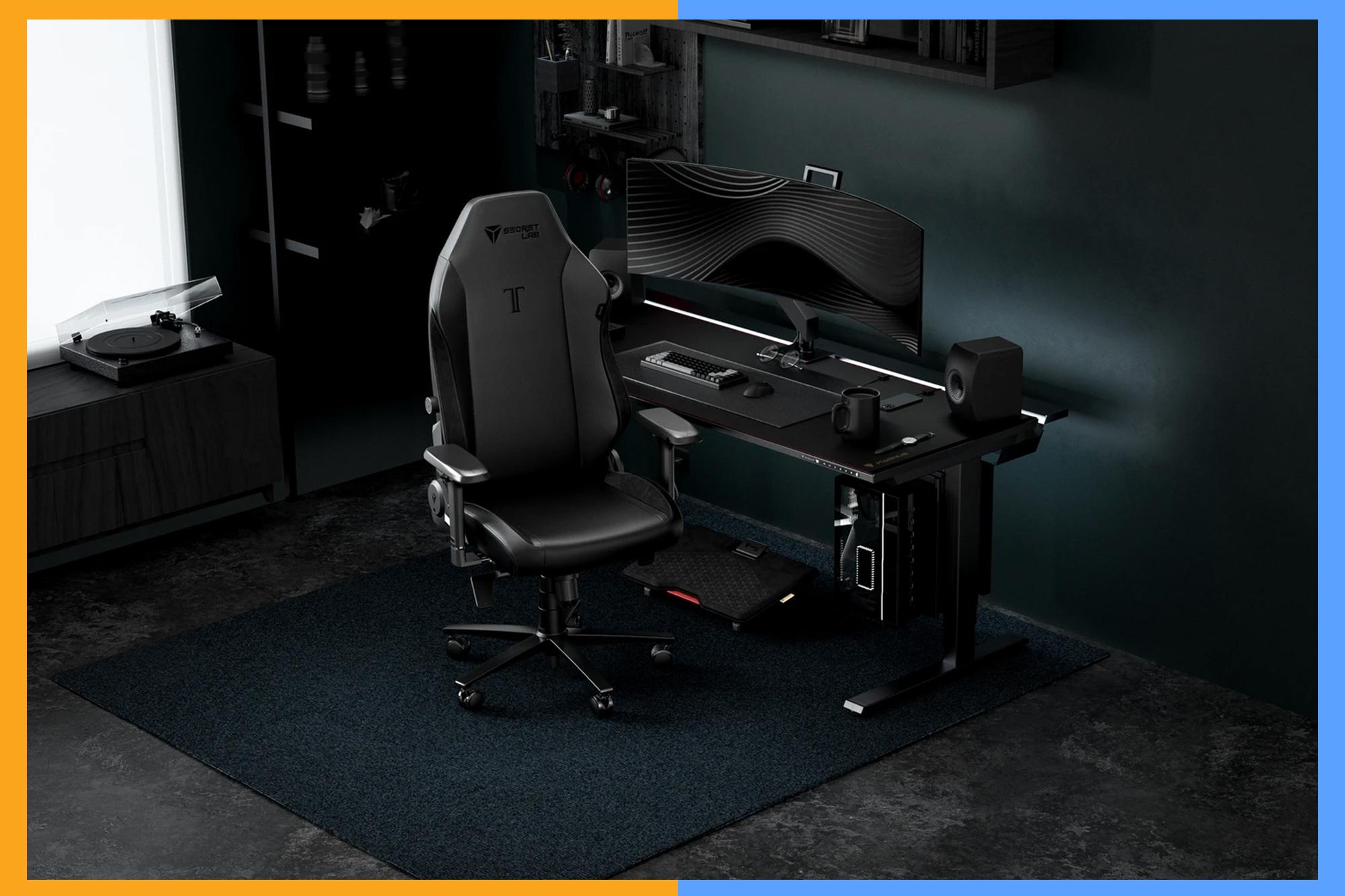
This award-winning chair is a cult favorite for a reason: It has 165 degrees of recline, a multi-tilt mechanism and 4D armrests for personalized support.
The chair has been tested by ergonomic experts and certified as suitable for a variety of body types and shapes. The cushion used is also one of Secretlab’s own creations, which is balanced yet firm. The build itself can be customized with three options, including one that Secretlab says is 14 times more durable than regular PU leather.
Unlike a lot of other chairs, this one comes in three sizes, too, which helps it fit more heights and body types than other competitors.
Weight limit: Up to 395 pounds | Height limit: 5-feet-six to 6-feet-nine
Mancuso recommends this chair for its adjustability options. Available in various colors, this intuitive office chair comes with 360-degree arms and a contoured back designed to support the natural shape of your spine.
You can adjust both the seat depth and recline, and even fully customize the arms, which helps set this chair apart. Amazon customers praise the soft construction and adjustability features, saying it easily adapts to your posture without much difficulty.
Weight limit: Up to 400 pounds | Height limit: N/A
Another recommendation from Mancuso for its adjustability options, this chic chair is completely customizable, from the base to the upholstery to the casters.
The brand says it’s designed for long-term sitting and works to correct your posture. You can fine-tune the back so it sits comfortably against your spine, and the seat itself is breathable, keeping you feeling comfortable for long hours at your desk. Best of all, the chair delivers fully assembled, which makes it easy to set up after it arrives.
Weight limit: 300 pounds | Height limit: N/A
With 14 customizable settings and various colors, this mesh-back office chair is great if you tend to get sweaty while seated.
There’s a padded two-way lumbar cushion for comfort and five-way adjustable armrests, so you can adjust them to your height.
The chair also adapts to your sitting style, whether you’re leaning forward or reclining, to consistently give spinal comfort. There is also a seat-depth adjustment feature, though it’s described as best for those between 5 feet 2 and 6 feet 2.
Weight limit: 275 pounds | Height limit: 5-feet-2 inches to 6-feet-two inches
This budget-friendly ergonomic chair has thousands of reviews on Amazon, with many saying it offers great lumbar support and is incredibly comfortable.
It’s BIFMA-certified and offers three recline angles, plus tilt control for added comfort. It’s designed to stay breathable for all-day comfort and preserve the S-shape of the spine.
The headrest is adjustable, too, adding more head and neck support.
Weight limit: Up to 300 pounds | Height limit: N/A
All three experts emphasized adjustability, particularly when it comes to seat height, seat depth, lumbar support and armrests.
“Adjustability should be the thing you prioritize when shopping for an office chair instead of how it looks or the brand,” says Dr. Edward Scheid, Lead Spine Surgeon and Founder of NeuroSpine Plus. “You want to be able to adjust everything to match your actual body rather than always having it at a generic default so it can accommodate you, and having a tilt or recline capability allows you some movement rather than being stuck in one fixed position.”
Dr. Mancuso similarly recommends “good lumbar support, adjustable seat height, adjustable armrests and adjustable seat depth.”
A lower price doesn’t necessarily mean sacrificing ergonomics. Instead, focus on the adjustments that have the biggest impact on how the chair fits your body.
“I would prioritize adjustability over extra features,” says Dr. DebRoy. “Being able to adjust the seat height and depth and get adequate back support is more important than having a headrest, fancy materials or a long list of features you may never use.”
Dr. Scheid agrees: “With a tight budget, I’d focus on making sure your new chair has adjustable lumbar support and seat height, as these are what affect your spinal alignment most.”
A properly fitted chair should support your back, feet and thighs while allowing you to work without leaning or reaching forward.
“Your feet should be supported on the floor or a footrest, your back should be supported by the backrest, and the seat should support most of your thighs without pressing into the back of your knees,” DebRoy says. “You should also be able to sit close enough to your desk that you are not reaching forward to use your keyboard or mouse.”
Dr. Scheid says shoppers should also pay attention to joint angles: “You need to focus on joint angles rather than the chair’s size, so your feet should be flat on the floor or on a footrest, and your knees should be mostly level with or slightly below your hips.”
Lumbar support helps support the natural curve of the lower back, and adjustable support allows you to position it based on your body.
“Everyone’s spine and alignment are a little different, so being able to adjust the height and depth of the lumbar support helps the chair fit the natural curve of your back,” Mancuso says. “That can take pressure off the spine and reduce strain.”
Dr. Scheid calls it “one of the most critical adjustable features you need on your office chair.”
The seat should support your thighs while leaving some space between its front edge and the backs of your knees.
“Ideally, your back should be against the backrest while there is still some space between the front edge of the seat and the back of your knees,” DebRoy says.
Dr. Scheid offers a more specific guideline: “Try sitting fully back against the lumbar support, and you should have about 2 to 3 finger widths between that seat’s edge and the back of your knee.”
Armrests can help support the upper body, but their positioning matters.
“Yes, armrests help take some of the weight and strain off your neck and shoulders, which keeps your upper body from getting fatigued as quickly,” Mancuso says. “They should be positioned so your arms can rest naturally and your shoulders stay relaxed.”
DebRoy adds, “Armrests can be helpful, but only if they are adjusted correctly. They should allow your shoulders to relax and your elbows to stay close to your body.”
Rather than trying to maintain one position all day, the experts recommend starting with a supported posture and regularly changing positions.
“There is not one perfect sitting posture that you should hold for eight hours,” Dr. DebRoy says. “A comfortable, supported position is a good starting point, but changing positions throughout the day is important.”
Dr. Scheid agrees: “Changing positions is the more important action because the spine isn’t made to hold one position for hours upon hours, no matter how correct that position may be.”
Discomfort that increases while you’re sitting can be one sign that your chair or workstation needs an adjustment.
Dr. Mancuso points to “pain, stiffness, muscle strain or fatigue, especially if you notice it getting worse the longer you sit.”
Dr. DebRoy adds, “If you regularly find yourself leaning forward, reaching for your keyboard, shrugging your shoulders, sitting on the edge of the chair or constantly shifting because you cannot get comfortable, it may be a sign that your chair or workstation needs to be adjusted.”
A chair may have plenty of ergonomic features, but those features won’t do much good if the chair doesn’t fit your body or you never adjust it.
“People focus too much on bells and whistles and technology instead of functionality,” Dr. Mancuso explains. “At the end of the day, the chair needs to fit your body and support you properly. That’s more important than all the extra features.”
Dr. DebRoy also warns, “Another common mistake is buying an adjustable chair and never adjusting it.”
“And yes, perhaps the worst thing to do is buy an expensive chair that’s labeled as ergonomic and then never adjust it to fit your specific body, which completely defeats the purpose of having those adjustable features,” explains Dr. Scheid.
For over 200 years, the New York Post has been America’s go-to source for bold news, engaging stories, in-depth reporting, and now, insightful shopping guidance. We’re not just thorough reporters – we sift through mountains of information, test and compare products, and consult experts on any topics we aren’t already schooled specialists in to deliver useful, realistic product recommendations based on our extensive and hands-on analysis. Here at The Post, we’re known for being brutally honest – we clearly label partnership content, and whether we receive anything from affiliate links, so you always know where we stand. We routinely update content to reflect current research and expert advice, provide context (and wit) and ensure our links work. Please note that deals can expire, and all prices are subject to change.
Looking for a headline-worthy haul? Keep shopping Post Wanted.