
5. The page
The menu
Home, Products, Docs (this User's Guide), About, Help (the FAQ, Getting started, Ask for help, Report a program that will not run) and Contact. Home shows the machines NEURA/8 is building, each marked Building or Planned, and where to go from there.
The top bar
Each page counts its views as petscii.nw does, through the platform's shared counter: people, not page loads, and an admin's visits never count. The count shows first among the page tools at the right, and on the bar's own badge.
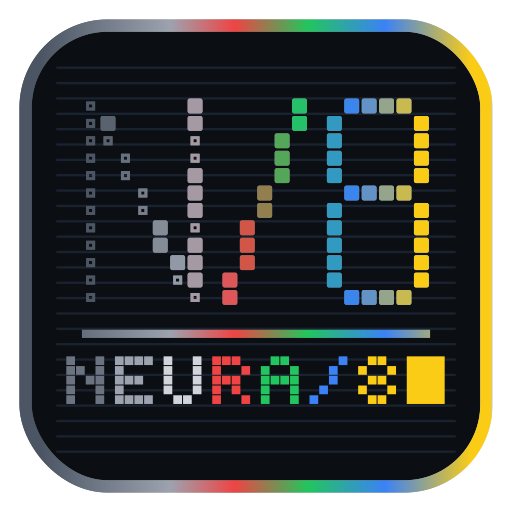
At the left is NEURA/8's mark. The first page of a visit starts as a Commodore screen: READY., then LOAD"*",8,1, SEARCHING, LOADING, READY. and RUN are typed out. Then a beam sweeps across, turning the grey pixels of N/8 into colour and typing NEURA/8 under them, three times over, and then it rests, finished; the pages after it show the finished mark. The browser tab shows the same mark, sweeping with it. If your device is set to reduce motion, both stay still.
Scroll down and the top bar folds into one yellow bar that stays at the top of the window: the small mark, the menu in the middle between the name and the search, the search and your tools, text size included, the very same buttons and search as the full bar. The coloured line under it is the beam: it fills from left to right as you read down the page. Scroll back to the top and the full bar returns.
Beside the mark, the name neura8 is coloured the way the mark is, on both bars: grey into full colour. About keeps the same look: who builds NEURA/8 and why, how it is built, where it is going, and where the engine stands today, one tile for each part in one row, grey until it is built.
| Control | Does |
|---|---|
| The search box | finds NEURA/8's parts by name, job or folder |
| A− / A / A+ | text smaller, normal, larger (four sizes) |
| The moon | light or dark |
| The corners | full screen |
| your NeuraMail | |
| Your name | your profile, petscii.nw, log out (or Sign in) |
Light or dark and the text size are kept for your next visit (on this device), the same way every NeuraWeb site keeps them.
On every page a mouse click leaves no ring around what was clicked; the keyboard's focus shows as a yellow ring. On a long page an arrow appears at the bottom right once you have scrolled a screen down: it takes you back to the top.